Home
Your weekly goal comes from the schedule you set, with today's workout up next.
For iPhone · Strength, boxing and cardio
Mak logs your lifts, rounds and runs, and puts last session's matching set right beside the one you're about to do.
Now in beta testing on TestFlight.
New: a built-in guide for setting up your own AI fitness coach.

A look inside

Your weekly goal comes from the schedule you set, with today's workout up next.

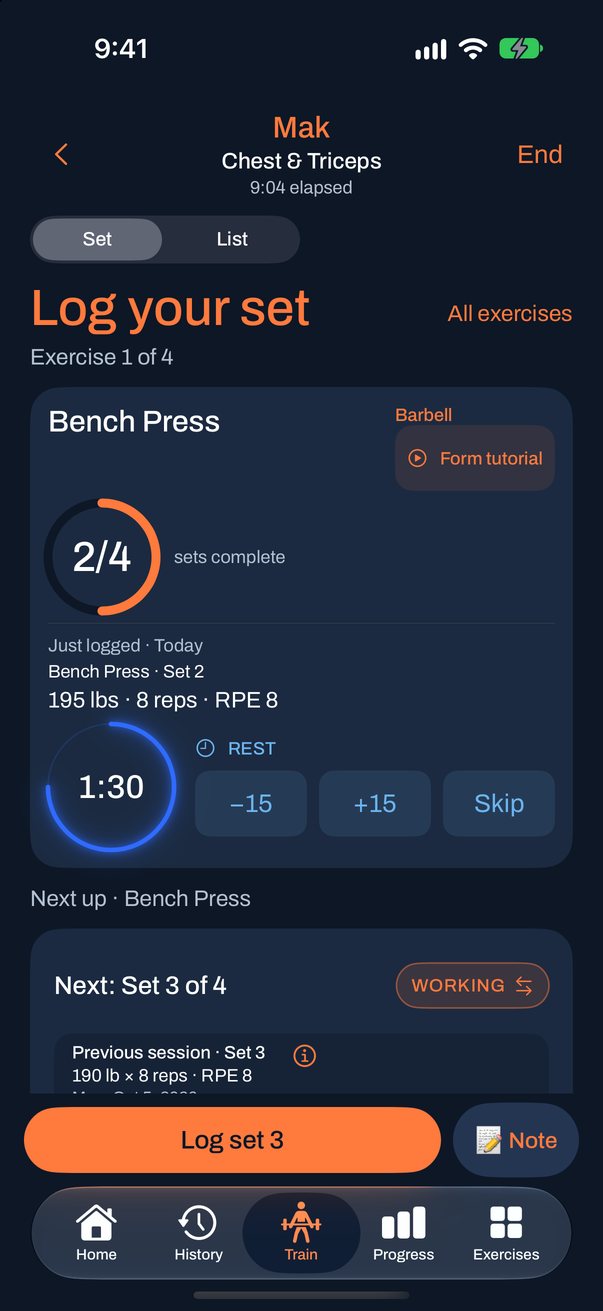
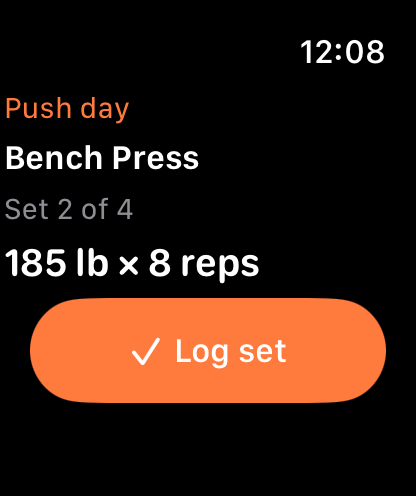
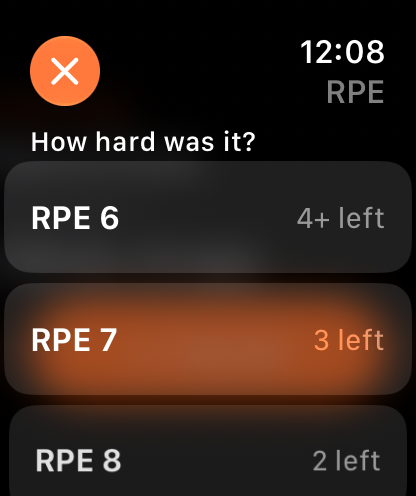
Big steppers, RPE with reps-left hints, and a clear Warm-up or Working label.

Every workout grouped by week, with weekly totals and a calendar.

Sessions, active time, volume and personal records for any period.

Start strength, boxing or cardio, or open a saved routine.
See it move
A quick tour of Home, then four things you'll do every week. The slow parts, like typing, are sped up.
Your week at a glance: workouts done, your weight trend and what's up next.
See every set at once. Tap a check, pick how hard it was, and rest starts.
Write a quick note on a set. Next time, it shows beside that same set.
Pick exercises, drag them into order, set your targets and save. Shown up to 8× faster.
Pick a routine for each day and get a reminder on workout days. Home follows your plan.
Three ways to train

Build routines, run supersets and reorder exercises mid-session. Rest starts inline as soon as you log a set.

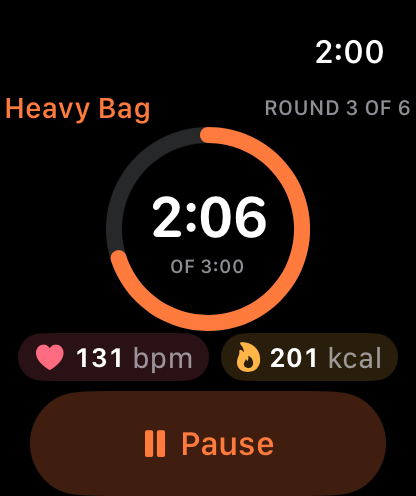
Saved boxing routines with round timing and bells, and a round clock on your Lock Screen.

Record your route and distance with GPS, even with the screen locked, and see it on a map afterwards.
Last time, set for set
Most loggers show a total or a best. Mak lines each set up with the same set from your previous session, so you know exactly what to beat. Try it below.
Bench Press done. Review and save when you're ready.
| Warm-up 1 | 95 lb × 10 · RPE 5 |
| Set 2 | 190 lb × 8 · RPE 7 |
| Set 3 | 190 lb × 8 · RPE 8 |
| Set 4 | 190 lb × 7 · RPE 9 |
If an old set had no RPE, no unit or no warm-up label, Mak says so plainly. It never fills the gap with a guess.
Your rest timer counts from today's latest set, and fixing a typo never restarts it. Today's workout never rewrites a past session.
Built in · AI coach
Mak records every set, its effort and your notes. Mak shows you how to turn that into a coach in Claude or ChatGPT that knows your training and tells you what to lift next time.
Open any workout in History and tap Use with your AI coach. Mak walks you through setting up a coach in Claude or ChatGPT in about 10 minutes.
Mak gives your coach instructions that teach it how to read your sets, warm-ups, RPE and notes.
Paste in each workout and get weights and reps for next time, plus a weekly check-in when you want one.
Mak never sends your data anywhere. You choose what to paste.
Inside Mak
A glowing countdown under the current exercise, with −15, +15 and Skip, and a choice of alert sounds.
A Live Activity shows your rest and next set. Pick an RPE, with its reps-left hint, and log without unlocking.
Pin a routine, a run or a boxing session to each day. Home shows what's next, and an optional reminder arrives on workout days.
Every set is labeled Warm-up or Working. Warm-ups don't ask for an RPE, so logging them stays quick.
More than 300 exercises with equipment filters and a form tutorial search for each one. Add your own.
Sessions, active time, volume and personal records for the period you pick, plus lift-by-lift progress.
Leave a note on an exercise and rate each working set. Your workout summary copies as plain text, ready for a coach or an AI assistant.
With your permission, Mak saves workouts to Apple Health, shows today's steps and can fill in your profile.
Copies go to your own private iCloud Drive after changes, and Mak is included in your iPhone's backups.
Privacy
Exports go only where you choose to send them. To stop iCloud backups, turn off iCloud Drive for Mak in Settings.
Coming soon to the App Store for iPhone.